Case study
Audit Helper.
Your auditor's software tracks what they asked for, but not who on your team is responsible for producing it. So we built a way to put that missing information right on the auditor's page—without changing their system.
- Product
- Audit Helper — Chrome extension
- Scope
- Extension, Apps Script backend, reminder system, Web Store packaging
- Stack
- Chrome MV3 · vanilla JS · Google Apps Script · Google Sheets
- Audience
- Client-side finance teams in an external audit
The request list is only half the job
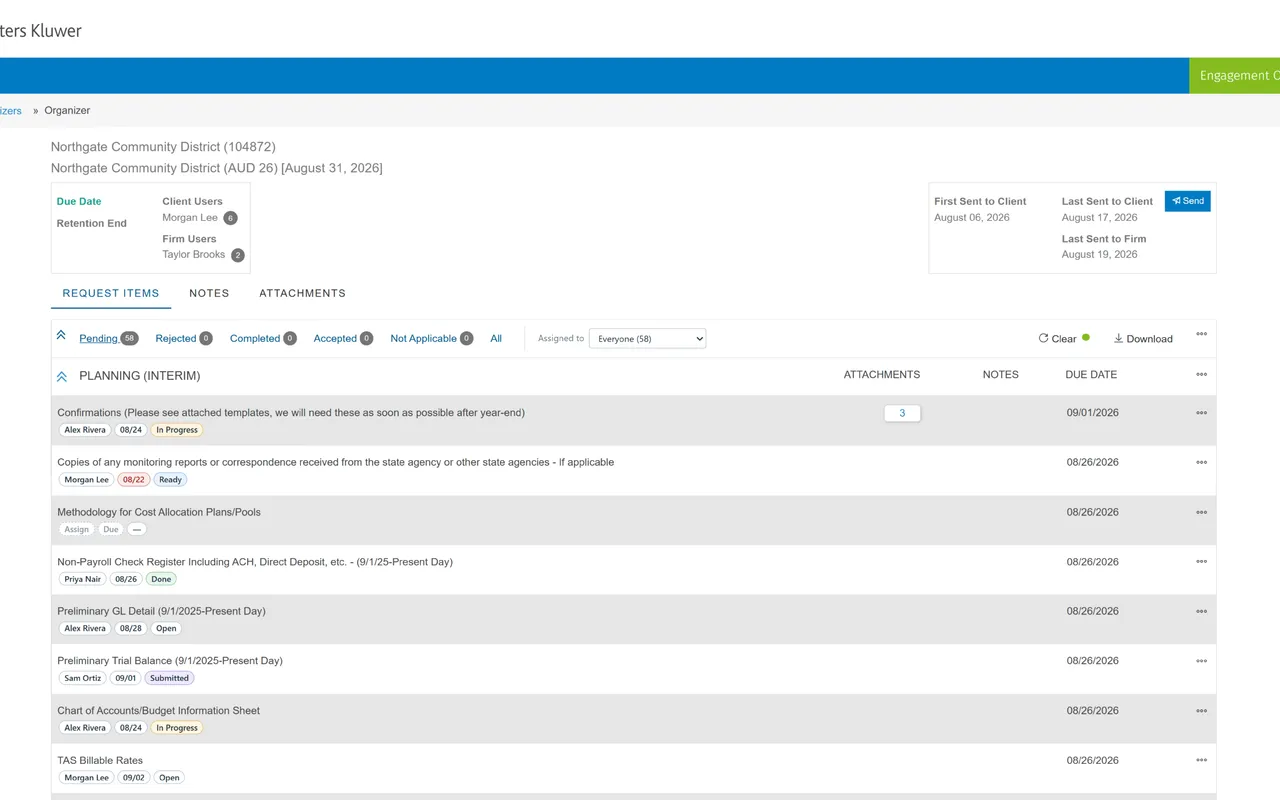
An external audit starts with a request list. Dozens of items, each with a date the auditor wants it by. That list lives in the CCH Axcess Engagement Organizer. What it doesn't track is your side of the work: who on your team is pulling the trial balance, who is doing the bank recs, and when those things are due internally.
Those assignments always have an internal due date that comes before the auditor's deadline. Most clients track them in a spreadsheet that never gets updated, or a director keeps them in their head—which means checking status requires calling a meeting. And items often get no attention until they're already late.
And you can't fix that inside the audit software, because the software belongs to the auditor and is licensed by the audit firm.
What we built
Audit Helper is a Chrome extension that shows your client-side information right on the organizer page your team already uses. Every request item gets three chips: who owns it, your internal due date, and its current status. Click any chip to change its value. An Assigned to filter appears right next to CCH's own tabs, and a view like Pending + My items is one click away. The organizer's built-in tabs filter on one dimension only; Audit Helper's combined view lets you filter by status and assignee at the same time.
The other half of Audit Helper is a Google Apps Script that you deploy against your own Google Sheet. The script stores the assignments and sends the email notices automatically.
When someone is assigned an item, they get a notice. Three days before an internal due date, they get a reminder. Once it's overdue, they get reminded every weekday. And every Monday, a digest of all open items goes out, while the person running the engagement gets a daily digest of what changed and what's overdue.
Click the toolbar icon and you get a menu with links to the shared sheet and your connection settings. That menu is served from cache, so the links still work even if the sheet is briefly unreachable. And because status updates come straight from CCH, nobody has to enter it twice. When you mark an item Completed in CCH, the tracker flips it to Submitted and stops the reminders. If the auditor rejects it, the tracker sends it back to In Progress and starts reminding again—which is exactly when most trackers fall out of date.
Read-only, on purpose
The extension never writes to CCH. It reads the request list the page has already loaded and overlays its own information. No data goes back to the audit firm, and nothing about the engagement changes. The auditor sees the same page they would have seen without it. That was the main design requirement: a client-side tool should not be editing the record of an audit.
There is no backend. No server, no database, no account to create. No vendor holds your finance team's audit data. Everything is stored in a Google Sheet that you own, inside your existing Google Workspace, under your policies. Applause Consulting doesn't run a service for Audit Helper, and we don't receive any data from it. The Chrome Web Store requires us to publish a privacy policy, so we did, but it's the architecture that keeps your data private, not the fine print.
Under the hood
The CCH organizer doesn't have a public API. So Audit Helper reads the request list from the same endpoints the page itself calls. We reverse-engineered those and wrote down what we found. A strict allowlist means the extension only ever forwards requests to those endpoints. The setup flow validates your sheet before it saves anything—a mistyped secret throws an error when you paste it instead of failing silently the first time you assign an item. The extension asks for three host permissions, and we wrote out justifications for each for the Chrome Web Store review. We also made notes on what's likely to break when Wolters Kluwer inevitably redesigns the organizer. Audit Helper was built for a finance team heading into audit season with more request items than people to handle them.
Details and setup instructions are on the Audit Helper page. If it sounds useful, get it from the Chrome Web Store.
Start your projectNot affiliated with, or endorsed by, Wolters Kluwer or CCH.